

Hi Rick and Everyone,
Which Icon Library do you use with your current Desktop Apps, either VFP and/or .Net? I would like to use more up to date icons in my VFP Desktop app and looking for recommendations.
TIA,
Steve


I'm using FontAwesome. I pay the yearly fee for the Pro library that is redistributable for all icons. The free library is more limited.
In .NET I use a WPF library wrapper FontAwesome6.Wpf which makes it easy to use the icons as images or button/widget icons including most effects.
For FoxPro I've also used these icons, but for that I download the icon library and then render the icons from SVG or the FontAwesome Icon viewer and export them as PNGs with the desired colors and toning then use those as FoxPro icons/images.
Another good option is the Visual Studio Icon library which has thousands of icons but they're mostly geared around developer stuff.
There are many free icon libraries available. VS Code (in the Git repo) also has a ton of icons that you can snatch and use as images but again they are mostly developer focused.
+++ Rick ---
Thanks Rick! I am mainly looking to update the New, Save, Undo, Redo, Delete, Find, Print, Cut, Copy, and Paste toolbar icons. Appreciate the feedback!
Steve

Ditto to what Rick said. I also subscribe to FAPro.
I can't speak to using the desktop side of things but it does come with both web & desktop resources, including OpenType fonts so you're not just restricted to setting button image properties. Of course, you'd have to get the fonts distributed and installed on your user's systems.

Using the FontAwesome fonts directly in FoxPro is problematic in that you can't control the color formatting easily especially for duotone styling, which I use a lot of in Markdown Monster/Documentation Monster and on the Web.
This is why typically creating the SVG images and then exporting from the FontAwesome Site might be the best approach to create custom icons and background maps that you can then easily use in FoxPro as a png is typically preferrably, especially if you just have a handful of icons that you're working with.
Heck, for simple common things like New, Save, Open etc. you can probably find plenty of versions on the Web or free font libraries.
However, I find once you start with having nice looking icons it's easy that you want them in a lot of places. I use FontAwesome Icons in lots of places like as title images. Images can really spruce up screens and make them feel more professional.
+++ Rick ---
Yeah, if I was still working on our legacy Windows app I would probably have spent time figuring out how to rip out the icon library I was using there and replacing with FA assets.
The SVGs are available when you download the desktop libraries? Is it really necessary to create them via the process you mentioned or did I misinterpret? Asking out of curiosity, of course, and to no practical effect for me. Now Steve OTOH might be interested.
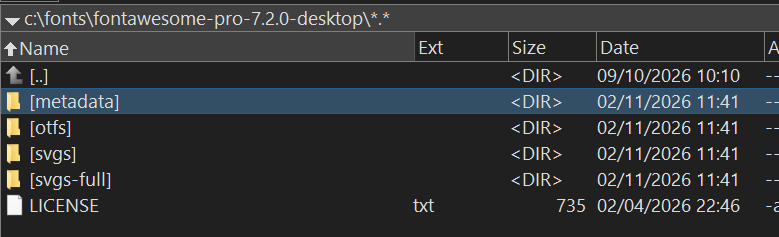
The SVGs are downloadable and included in the distribution, but for FoxPro you need PNG files or Bitmaps with Mask files (for transparency to work).
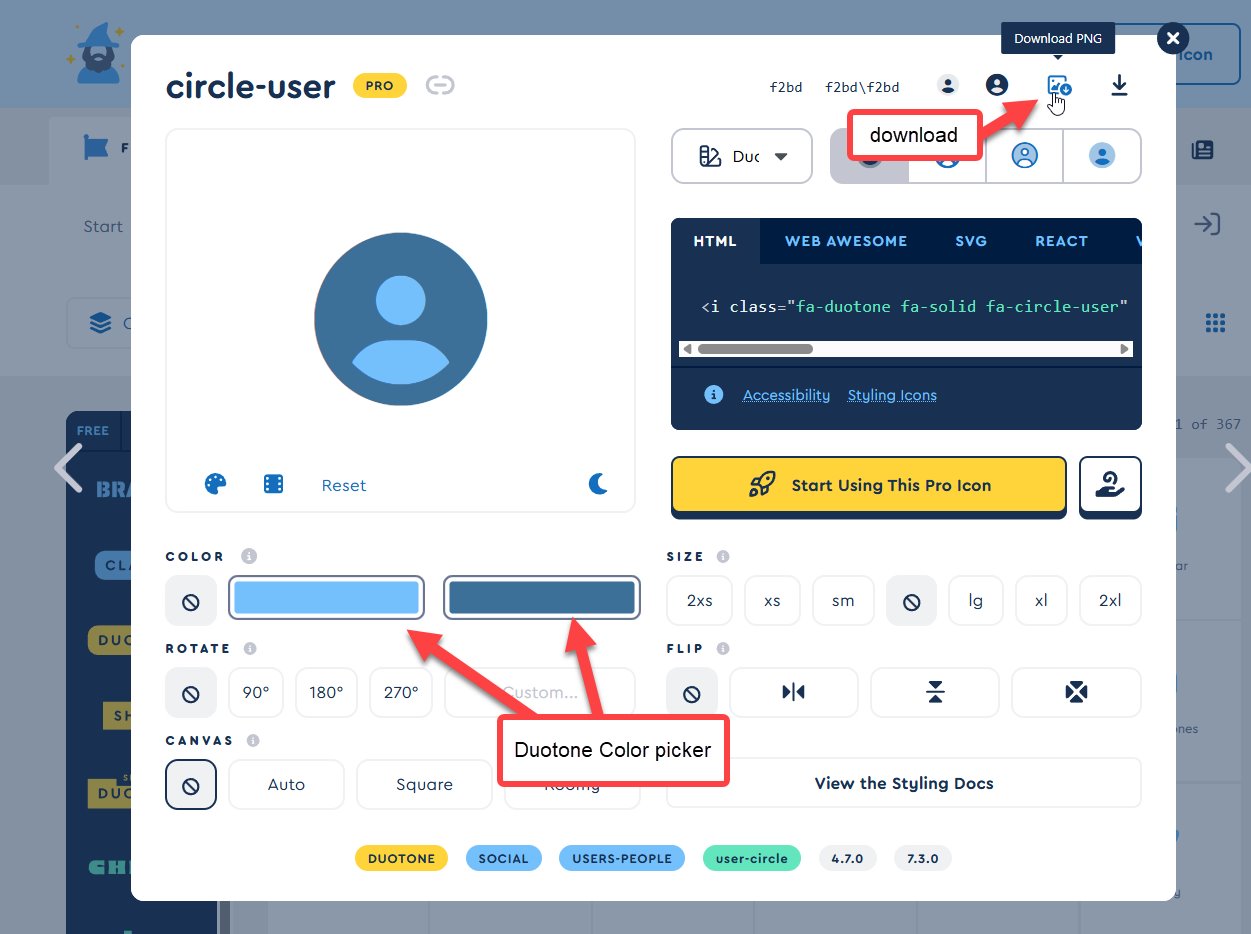
The online site lets you design the icon colors and other effects and then download it. I think for FoxPro this is probably the easiest path especially if you have just a few icons you're dealing with.
+++ Rick ---
Right. The SVGs still need to be converted. Somewhere there was something said about creating SVGs and that's what confused me.
IMO an FA Pro license is well worth the nominal cost. In addition to the huge number of icons and styles available, and the export option you're showing, you can create custom symbols by combining existing ones, too.