

When I am editing a markdown document and I preview it in the browser. Why do changes that I make not show up in the browser even if I refresh unless I close it and open it again?


The View in Web Browser operation should show the same document that's displayed in the previewer which is a local file on disk. As such when the preview updates the browser should see those same changes (albeit without automatically updating).
You should be able to refresh the page to see the changes externally. If that's not happening you likely have an overeager caching policy set, but you can try using a hard refresh in the browser: Ctrl-Click the refresh button or ctrl-f5 typically.
+++ Rick ---
The View in Web Browser operation should show the same document that's displayed in the previewer which is a local file on disk. As such when the preview updates the browser should see those same changes (albeit without automatically updating).
You should be able to refresh the page to see the changes externally. If that's not happening you likely have an overeager caching policy set, but you can try using a hard refresh in the browser: Ctrl-Click the refresh button or ctrl-f5 or ctrl-shift-R typically.
+++ Rick ---
I have tried this in Edge and also in Firefox. If I edit the file in the editor with the Browser open and previewing. Then make the change, the go to the browser and do refresh or hard refresh, the changes do not show up until I close and open the browser again. This is windows so ctrl-f5 and ctrl-click to force a hard refresh.

I'm not sure why this isn't working for you, but this is working for me:

If you go to the output folder and watch the timestamp you should see the file timestamp change on every change.
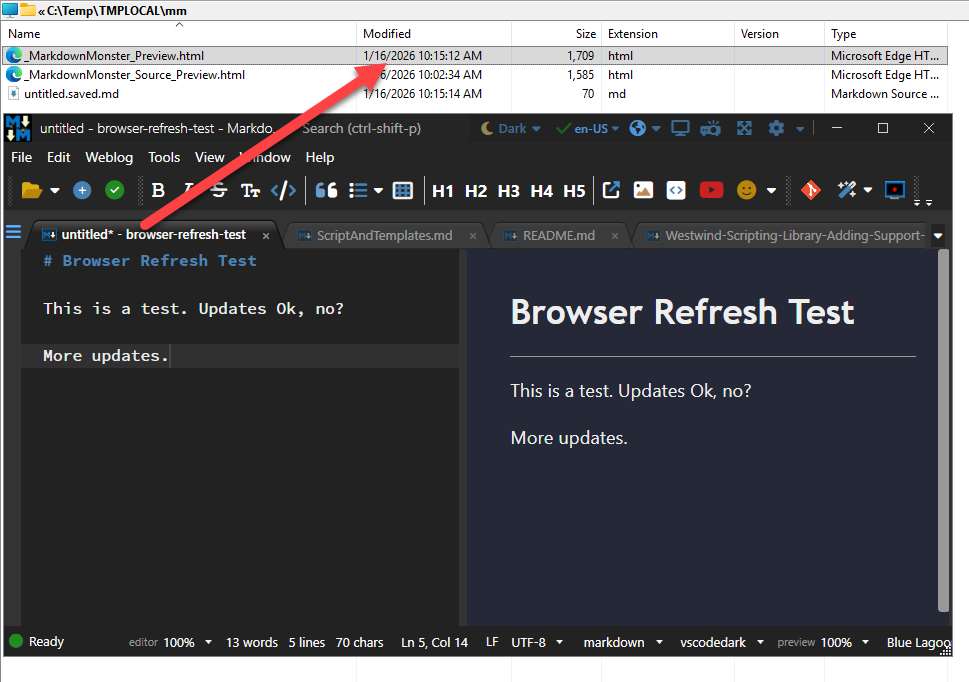
The folder is in %temp%\mm.
If the file is updating but your browser is not showing it when viewing that file then there's something in your cache policy causing the issue.
+++ Rick ---
So let me clarify.
It works if I use the internal previewer NOT an external browser. So if I want to use Edge or Firefox to view it versus the internal previewer that does not work. Maybe it is not intended to work.
Your screenshots above are not using the normal Edge or Firefox browsers.
The internal preview is using the Edge WebView so functionally that's using Edge (Chromium really). So you're not going to see anything different in Edge, Chrome, Brave, Thor, Vivaldi etc. all of which use the same Chromium rendering engine. The only major browser that uses a different rendering engine is FireFox.
If you do use an external browser, it uses the file from disk for the View in Web Browser. If the file changes on disk as described in the last message but you refresh and it doesn't actually refresh then there's a caching issue in the browser most likely due to some sort of Anti-Virus or Web acceleration software that sets an overeager cache policy. If the file doesn't change then that's something that we can take a look at but I doubt that since the previewer is refreshing.
Note too that you can use the previewer with a separate detachable window so you can move the window around which is one of the reasons you might be wanting to use an external browser.
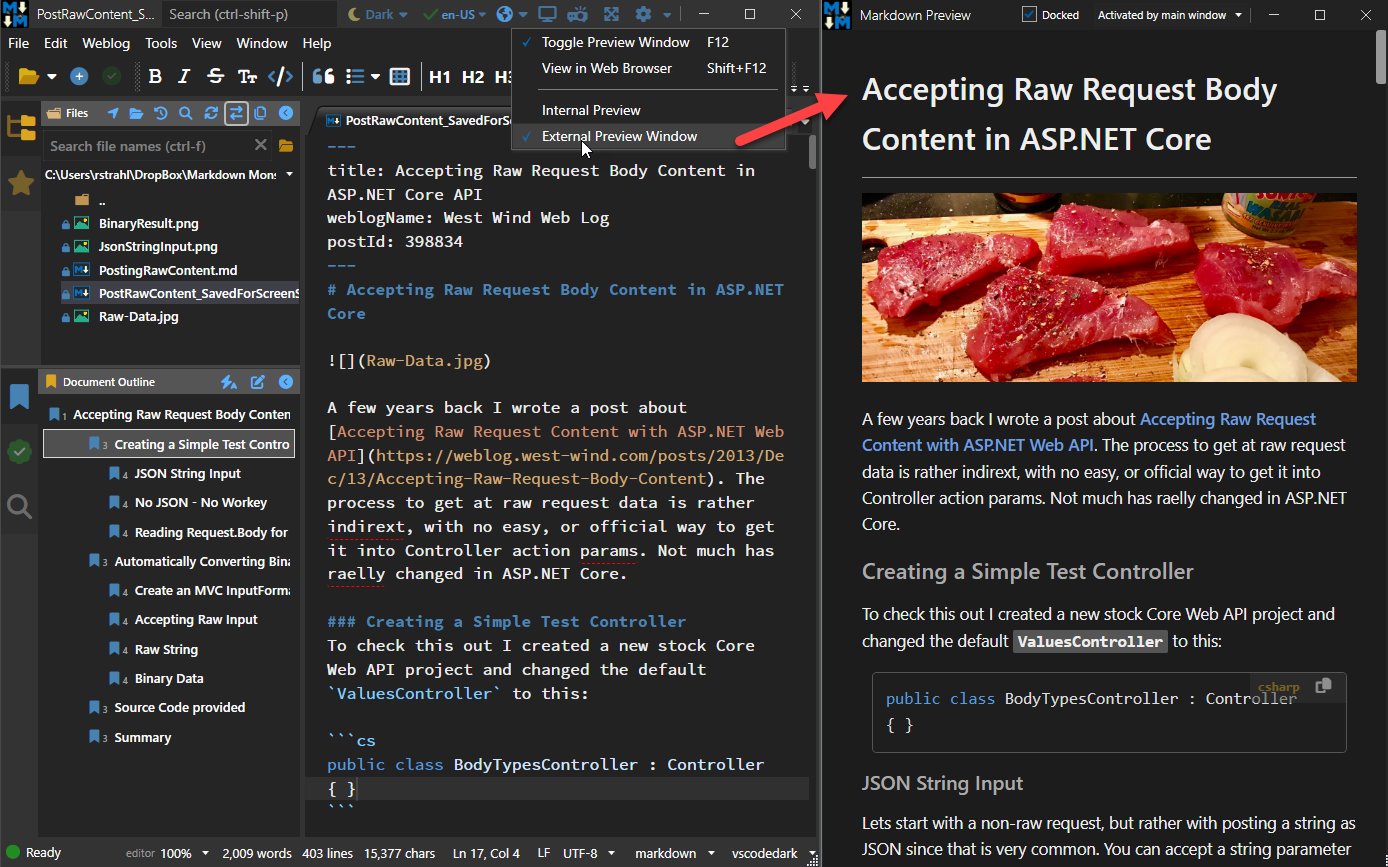
The external previewer window can be docked (as it is in the screen shot) or left as a regular window that you can put anywhere including on a separate monitor.
More info here:
+++ Rick ---